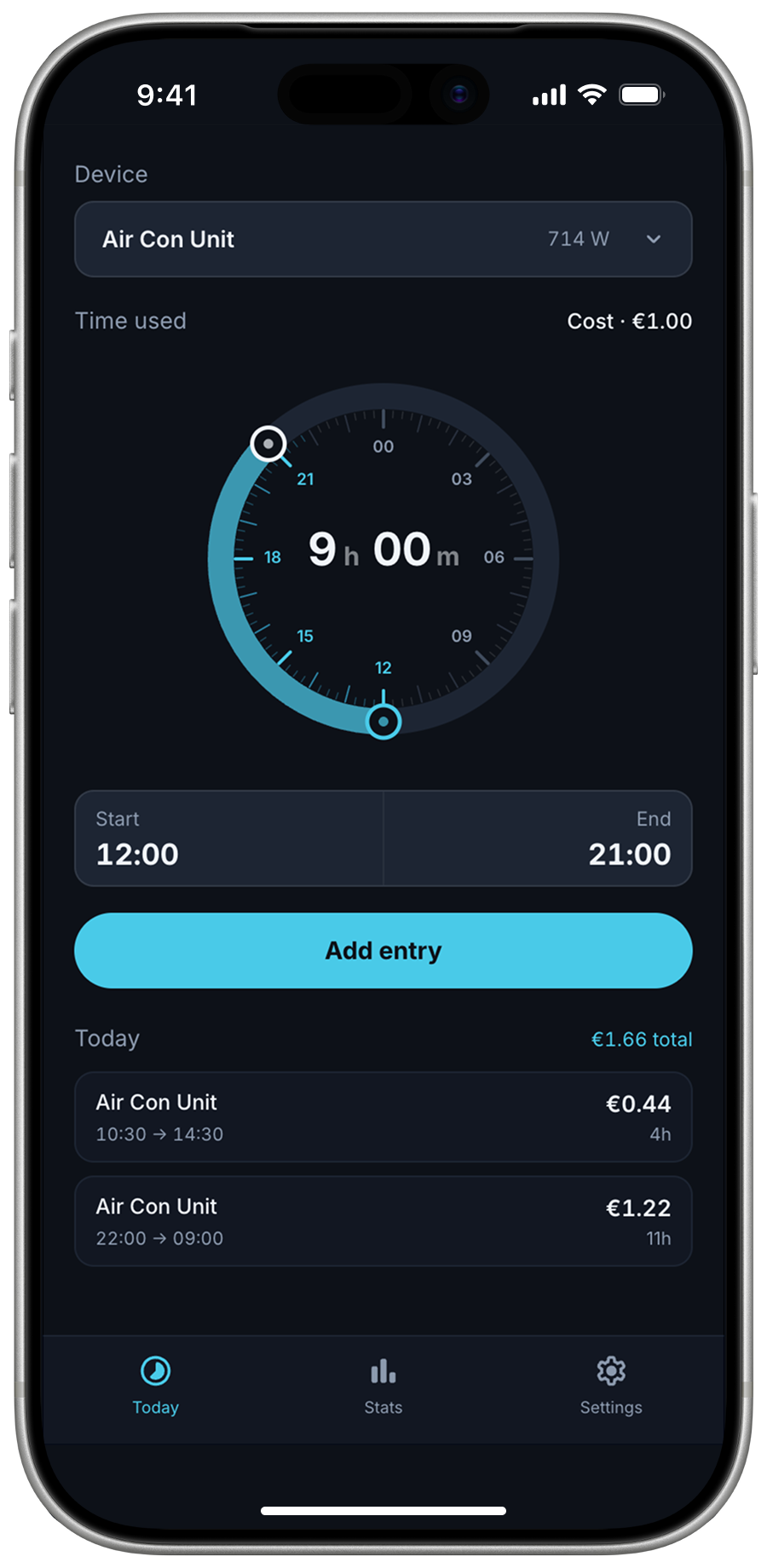
Electricity tracker
A side project born out of curiosity about how much our air conditioning unit actually costs to run. I built a simple app that makes it fun to log daily usage and track the estimated cost per day. What started as an aircon tracker ended up expanding to cover other household appliances too.
Overview
The goal was a simple app to automate cost calculations and log usage over time. The intention is to connect it to a live electricity pricing API so rates adjust automatically by time of day, which matters in Spain where peak and off-peak hours are priced differently.
This was also an exercise in building and prototyping in Claude. The focus was on getting something functional and useful rather than a polished visual product.
Application flows
Add a new entry for a product's electricity usage.
Edit an entry that has already been logged.
Delete an entry using the iOS gesture.
Delete an entry from inside the Edit panel.
Navigating and viewing the Stats page.
Browsing previous days in the Daily breakdown.
Adding a new device on the Settings page.
Adding a new device from the Device dropdown.
Editing the energy provider from the Settings page. Changing the rate reflects instantly across all logged entries, making it easy to compare what your usage might cost with a different provider.
A subtle animation when switching between tabs.
A subtle animation when the bottom sheet resizes.
Various iterations to improve the dial component.
- ·Start and End inputs separated
- ·Time values hard to read at a glance
- ·Added more hour values around the dial
- ·Improved how the duration value is displayed
- ·Selected values and tick marks highlight to show active state
- ·Merged Start and End into a single combined input
- ·Standardised hour marker lengths for consistency
- ·Added a transition animation on Start and End time changes
- ·The unselected time value dims when editing, making it clear which input is active
The final version on the right shows how the value stays centred as it changes, with a smoother transition between single and double digits.
What's next
Things I'd like to add:
- Side-by-side cost comparison across 2 energy providers
- Savings indicator on each provider showing estimated cost difference based on your logged usage
- Add recurring entries for devices used on a regular schedule, such as a Tesla charger on weekdays or an air con unit running overnight
- Polish up components and improve overall visual consistency
- Add an onboarding flow for first-time setup
- Support both flat rate and fluctuating energy tariffs, with live hourly rates pulled from providers
- Add haptics when controlling the dial component.